Call Us: +91 95668 50217


Query Form
Computer Courses
PAGEMAKER
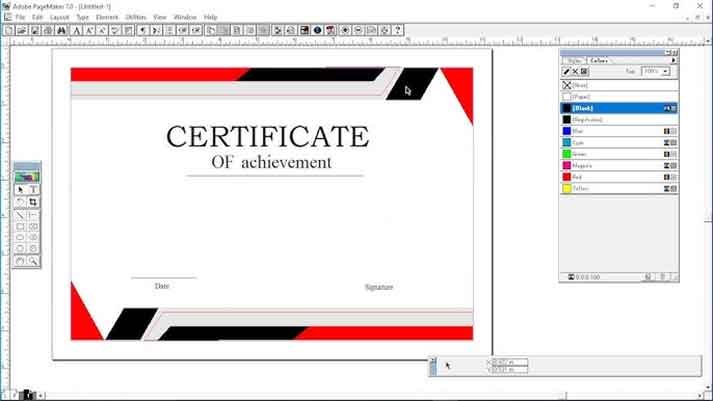
Adobe Pagemaker
Designing Course
Syllabus
Module 1: Introduction to PageMaker 7
- Overview of PageMaker interface and workspace
- Understanding publication types (brochures, flyers, newsletters, etc.)
- Exploring the toolbox and basic tools
- Setting up a new document and working with pages
Module 2: Working with Text
- Creating and importing text
- Formatting text: fonts, sizes, alignment, and spacing
- Applying styles and formatting options
- Working with text frames and columns
- Using the Story Editor and Find/Change features
Module 3: Managing Graphics
- Importing and placing images
- Adjusting image size, position, and cropping
- Wrapping text around images
- Applying image effects and filters
- Using the Clipping Path tool for image masking
Module 4: Layout and Design Techniques
- Arranging and aligning objects on a page
- Using grids and guides for layout consistency
- Applying master pages and templates
- Creating and modifying tables
- Utilizing layers for organization and design flexibility
Module 5: Typography and Typesetting
- Advanced text formatting: kerning, tracking, leading
- Working with special characters and glyphs
- Creating drop caps and text effects
- Using hyphenation and justification options
- Managing long documents with automatic page numbering and indexing
Module 6: Color and Printing
- Understanding color modes: CMYK, RGB, and spot colors
- Applying color to text and objects
- Working with color swatches and gradients
- Printing options and settings for different output devices
- Preparing files for commercial printing
Module 7: Interactive Elements and PDF Export
- Creating hyperlinks and bookmarks
- Adding buttons and interactive elements
- Exporting publications as interactive PDFs
- Optimizing PDF settings for different purposes
- Testing and reviewing interactive PDFs
Module 8: Advanced Techniques and Automation
- Using libraries and snippets for design elements
- Applying effects and transparency to objects
- Using master pages and templates efficiently
- Automating repetitive tasks with scripts
- Exploring advanced features and customization options
Module 9: Project Work
- Undertaking a comprehensive project that combines various techniques learned throughout the course
- Applying creative and technical skills to create a visually appealing and well-executed final project