Call Us: +91 95668 50217


Query Form
Computer Courses
PHOTOSHOP
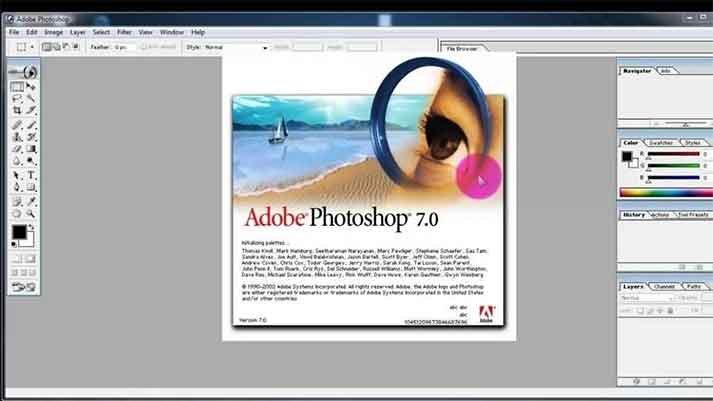
Adobe Photshop
Designing Course
Syllabus
Module 1: Introduction to Photoshop 7
- Overview of Photoshop interface and workspace
- Understanding file formats and color modes
- Using essential tools: Move, Marquee, Lasso, Magic Wand, Crop, Eyedropper, Brush, Eraser, and Clone Stamp
- Applying basic adjustments: Brightness/Contrast, Levels, Curves, and Hue/Saturation
Module 2: Selection Tools and Techniques
- Understanding selection basics: Rectangular and Elliptical Marquee, Polygonal Lasso, Magnetic Lasso, and Quick Selection
- Refining selections using Feather, Refine Edge, and Quick Mask
- Masking techniques: Layer Masks and Quick Mask
- Advanced selection techniques: Color Range, Pen Tool, and Channels
Module 3: Layers and Blend Modes
- Working with layers: Creating, duplicating, rearranging, and merging layers
- Applying blend modes for creative effects
- Adjustment layers: Levels, Curves, Hue/Saturation, Color Balance, and Gradient Map
- Layer styles and effects: Drop Shadow, Inner Shadow, Bevel and Emboss, Gradient Overlay, and Stroke
Module 4: Image Editing and Retouching
- Advanced retouching techniques: Spot Healing Brush, Healing Brush, Patch Tool, and Content-Aware Fill
- Removing distractions with Clone Stamp and Content-Aware Move
- Repairing and restoring old or damaged photos
- Working with the Liquefy filter for image manipulation
- Applying filters: Blur, Sharpen, Noise, Distort, and Stylize
Module 5: Text and Typography
- Creating and formatting text layers
- Using character and paragraph settings for typography
- Applying layer effects to text: Drop Shadow, Bevel and Emboss, and Stroke
- Warping and transforming text
- Creating text along paths and shapes
Module 6: Color Adjustments and Image Effects
- Working with color adjustments: Color Balance, Selective Color, Replace Color, and Match Color
- Using adjustment layers for non-destructive editing
- Creating and applying gradients and patterns
- Adding creative effects with filters: Liquefy, Lens Flare, Lighting Effects, and Texture filters
Module 7: Advanced Tools and Techniques
- Utilizing the Pen Tool for precise selections, paths, and shapes
- Working with vector-based shapes and Smart Objects
- Advanced image compositing using layer masks, clipping masks, and blending modes
- Applying advanced filters and plugins for unique effects
- Introduction to automation: Actions and Batch Processing
Module 8: Web Graphics and Exporting
- Designing web graphics: Optimizing images for web, creating buttons, and banners
- Slicing and optimizing images
- Saving for web and export options
- Understanding file formats: JPEG, PNG, GIF, and SVG
Module 9: Print Design and Output
- Setting up documents for print: Resolution, color modes, and bleed
- Working with print-specific features: CMYK color space, color separations, and
- print-ready PDFs
- Preparing images for print: Sharpening, color correction, and file formats
- Troubleshooting common print issues