Call Us: +91 95668 50217


Query Form
Computer Courses
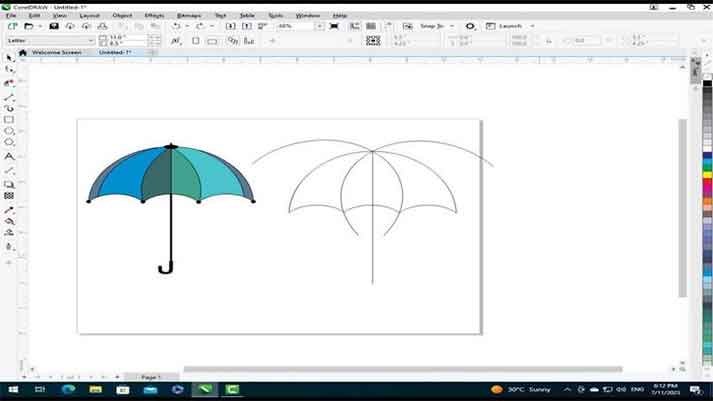
CORELDRAW
Coreldraw
Designing Course
Syllabus
Module 1: Introduction to CorelDRAW
- Overview of CorelDRAW interface and workspace
- Understanding vector graphics and their advantages
- Navigating the toolbox and basic tools
- Creating and managing documents
Module 2: Basic Drawing Tools and Techniques
- Working with shapes: rectangles, ellipses, polygons, and stars
- Drawing and editing curves with the Pen tool
- Applying fill and outline properties
- Using the Smart Drawing tool for automatic shape recognition
- Applying transformations: scaling, rotating, skewing, and mirroring
Module 3: Working with Objects and Layers
- Selecting and manipulating objects: grouping, ungrouping, and aligning
- Arranging objects in layers for organization and control
- Applying object effects: transparency, drop shadows, and contours
- Using the PowerClip feature for object nesting and masking
- Applying blending modes and creating blends
Module 4: Text and Typography
- Creating artistic and paragraph text
- Formatting text: fonts, sizes, styles, alignment, and spacing
- Applying text effects: drop shadows, outlines, and envelopes
- Creating and editing text paths
- Working with OpenType and special characters
Module 5: Color Management and Effects
- Understanding color models: RGB, CMYK, and spot colors
- Applying fill and outline colors using various color modes
- Using the color picker, color palettes, and color harmonies
- Applying special effects: distortions, envelopes, and contours
- Creating and editing gradients and patterns
Module 6: Advanced Drawing and Editing Techniques
- Working with the Artistic Media tool for freehand drawing
- Creating and editing complex shapes using the Shape tool
- Applying perspective, extrusion, and transparency effects
- Using the Knife and Eraser tools for precise editing
- Working with the Blend tool for smooth transitions
Module 7: Image Editing and Photo Effects
- Importing and editing raster images
- Adjusting image properties: brightness, contrast, and color balance
- Applying artistic effects: sepia, mosaic, blur, and sharpen
- Removing backgrounds with the Background Eraser tool
- Using the PowerTRACE feature for bitmap-to-vector conversion
Module 8: Printing and Output
- Setting up documents for print: page size, resolution, and bleeds
- Understanding print layouts, color separations, and trapping
- Exporting files in various formats: PDF, EPS, SVG, and more
- Creating PDF/X compliant files for professional printing
- Troubleshooting common print issues
Module 9: Web Design and Exporting
- Creating web graphics: buttons, banners, and icons
- Optimizing images for web: file formats, compression, and resolution
- Exporting web-ready graphics and HTML code
- Creating and exporting animations
- Designing responsive web layouts
Module 10: Advanced Techniques and Project Work
- Advanced object manipulation: envelopes, blends, and contours
- Working with symbols and libraries for efficient design
- Creating custom brushes and textures
- Undertaking a comprehensive project that combines various techniques learned throughout the course
- Applying creative and technical skills to create a visually appealing and well-executed final project